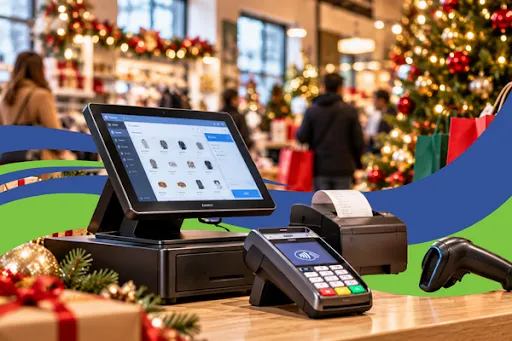
The Merchant's POS System Checklist for Black Friday and Cyber Monday 2026
Black Friday and Cyber Monday can bring a major increase in sales, customer traffic, and payment transactions. For retailers, restaurants, and other merchants, preparing for these busy shopping days means more than stocking shelves and promoting holiday deals. It also means making sure your point-of-sale (POS) system is ready to handle the rush.
A slow checkout, failed payment terminal, or unexpected system outage can lead to frustrated customers and lost sales. Even a short disruption during peak shopping hours can affect your team's productivity and your customers' experience.
With Black Friday falling on November 27 and Cyber Monday on November 30 in 2026, now is the time to review your payment systems and prepare for the holiday rush.
Use this POS system checklist for Black Friday to identify potential issues, test your equipment, and help your business prepare for a smoother holiday shopping season.
Why Your POS System Needs to Be Ready for the Holiday Rush

During the holiday season, businesses often experience higher transaction volumes, longer checkout lines, and increased pressure on employees. Your POS system plays an important role in keeping sales moving and ensuring customers can pay without unnecessary delays.
A well-prepared POS system can help your business:
Process customer payments more efficiently.
Reduce avoidable checkout delays.
Maintain accurate sales and inventory records.
Support a smoother customer experience.
Prepare staff to respond to payment issues.
Reduce the risk of preventable operational disruptions.
Preparing ahead of time also gives you an opportunity to identify outdated equipment, connectivity problems, and software issues before your busiest days arrive.
1. Check Your POS System's Core Functionality
Start by reviewing the essential functions your business uses every day. A system that works during a quiet weekday may encounter problems when more employees, transactions, and orders are being processed.
Before Black Friday, check the following:
Confirm that the POS system starts properly and runs without recurring errors.
Test product searches, barcode scanning, and manual item entry.
Verify that current prices, discounts, and promotions are accurate.
Check inventory records and confirm that stock levels are updating correctly.
Test refunds, voids, and transaction corrections using approved procedures.
Confirm that receipts display the correct business information and transaction details.
Review user permissions and ensure employees can access the functions they need.
Confirm that sales reports are accurate and accessible.
If you operate a restaurant, test order entry, menu modifiers, kitchen ticket printing, and communication between the POS and kitchen systems.
For retail stores, pay particular attention to barcode scanners, product pricing, inventory synchronization, and promotional discounts.
Pro tip: Test your POS system using realistic transactions before the holiday rush. Identify problems early, document them, and resolve them before peak shopping days.
2. Test Your Internet Connection and Network
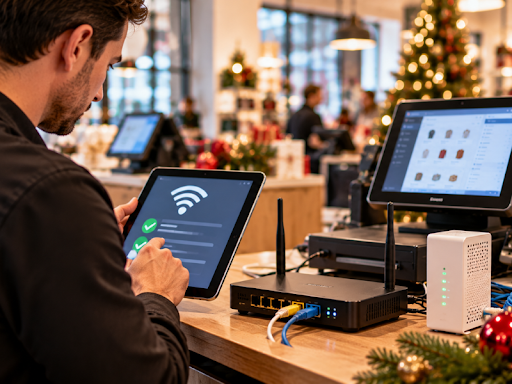
Many modern POS systems depend on a reliable internet connection to communicate with payment gateways, synchronize information, and access cloud-based services.
An unstable connection can delay transactions or interrupt other business operations. However, the impact of an internet outage depends on your particular POS system, payment processor, and available offline capabilities.
Use this checklist to review your connectivity:
Test your internet connection during your normal business hours.
Check your router, modem, and network equipment for issues.
Make sure payment terminals have a stable connection to the required network.
Check Wi-Fi coverage in checkout areas and other locations where payments are accepted.
Review your internet provider's support contact information.
Ask your POS or payment provider whether your system supports offline payments.
If appropriate, arrange a backup internet connection, such as a separate mobile hotspot.
If your business uses several POS terminals, test each one individually. A connection that works at the main checkout counter may not be equally reliable elsewhere in your store.
Important: Do not assume that your POS system can accept payments offline. Confirm whether the feature is supported, what transaction limits apply, and how transactions are stored and submitted later. Offline payments can carry additional risks, including declined transactions and potential losses.
3. Test Every Payment Terminal
Your payment terminal is one of the most important pieces of equipment during the holiday season. Customers may be ready to complete their purchases, but a terminal that fails to read cards or communicate with the payment processor can bring checkout to a stop.
Before Black Friday and Cyber Monday, test every terminal your business uses.
Your payment terminal checklist:
Test chip card transactions.
Test contactless payments if supported.
Verify that supported mobile wallets, such as Apple Pay and Google Pay, work correctly.
Confirm that approved debit and credit payment methods can be processed.
Check cables, power adapters, batteries, and charging equipment.
Inspect terminals for physical damage or recurring error messages.
Confirm that integrated POS terminals communicate correctly with your POS software.
Verify that approved transactions produce the expected confirmation and receipt.
Follow your provider's approved procedure for testing refunds and transaction corrections.
Where possible, use your provider's approved test procedure or a small, authorized transaction. Never assume a payment succeeded simply because the terminal displayed a message. Verify the transaction status in your POS system or payment dashboard.
If your business uses multiple checkout stations, test every device instead of checking only one terminal.
4. Review Software Updates and System Security
Software updates can fix bugs, improve compatibility, and address security vulnerabilities. However, installing a major update immediately before a high-volume sales period can introduce unexpected problems.
The goal is to make sure your system is current, secure, and stable before the holiday rush.
Before the busy season:
Check for available POS software and payment terminal updates.
Review update instructions and compatibility requirements.
Schedule updates well before Black Friday whenever possible.
Test key functions after an update is installed.
Confirm that connected printers, scanners, payment terminals, and integrations still work.
Verify that backups are completed according to your business procedures.
Review employee access permissions and remove access that is no longer needed.
Confirm that your devices and systems follow your payment provider's security recommendations.
Avoid unplanned changes to your POS configuration during peak shopping hours. If a critical update is required, coordinate with your provider and follow its recommended installation and testing procedures.
Payment security is especially important when transaction volumes increase. Never store sensitive card data in spreadsheets, unsecured notes, or other unauthorized locations. Follow applicable payment security requirements and your provider's guidance.
5. Create a Backup Payment Plan
Even with careful preparation, unexpected problems can happen. Your internet connection may fail, a payment terminal may stop working, or a service provider may experience an interruption.
A backup plan helps employees understand what to do when normal payment processing is unavailable.
Consider these options:
Backup terminal: If practical, keep a compatible spare terminal or another approved payment device available. Confirm that it is properly configured and authorized before you need it.
Alternative internet connection: A separate connection may help restore access when your primary internet service fails. Confirm that your POS and payment equipment can use it.
Alternative payment methods: Determine which other approved payment options your business can accept, such as cash or ACH where appropriate. Make sure employees understand when each option is available.
Provider support contacts: Keep your POS provider, payment processor, internet service provider, and equipment support details accessible to authorized staff.
Offline payment procedures: If your system supports offline transactions, document the approved process, transaction limits, security requirements, and steps for submitting transactions when connectivity returns.
Transaction verification: Establish a clear procedure for checking transaction status before attempting another charge. This can help reduce duplicate charges when a terminal times out or a response is delayed.
Never ask employees to write down customers' card numbers or use an unapproved device to collect payment information. If your usual system becomes unavailable, follow your payment provider's approved contingency procedures.
6. Train Employees Before Black Friday
Reliable equipment is only part of the preparation. Employees also need to know how to use the system and respond to common payment problems.
Before the holiday rush, make sure your team knows how to:
Process normal transactions and approved discounts.
Handle returns and refunds according to company policy.
Respond to common terminal errors.
Recognize when a payment is pending, declined, or approved.
Contact the appropriate support team.
Follow the backup payment plan.
Protect customer payment information.
Escalate technical problems instead of attempting unapproved fixes.
Consider holding a short practice session in which employees complete sample transactions and review what to do when a payment fails.
For businesses with several checkout stations, designate a staff member or manager to coordinate technical issues during busy periods.
7. Check Inventory, Receipts, and Sales Reporting
A POS system does more than process payments. Depending on its features and integrations, it may also support inventory management, order tracking, and sales reporting.
These functions become especially important when businesses handle increased order volumes during Black Friday and Cyber Monday.
Review the following:
Confirm that product prices and inventory records are accurate.
Test inventory updates after a sale or return.
Verify that receipts contain the correct transaction details.
Check that online and in-store orders synchronize properly if your systems are integrated.
Confirm that managers can access daily sales reports.
Review procedures for reconciling POS transactions with payment settlements.
Confirm that any connected accounting or reporting tools are functioning as expected.
Accurate records can help you identify sales discrepancies, monitor popular products, and reconcile transactions after the holiday rush.
8. Complete Your Final POS Readiness Check
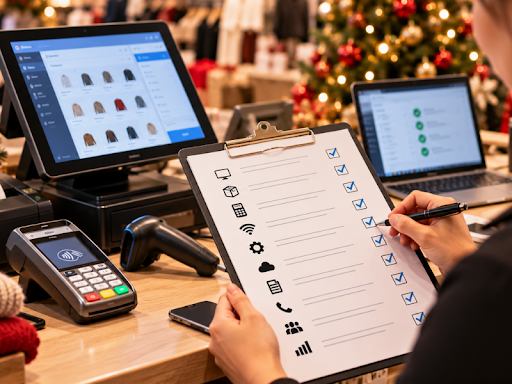
Do not wait until Black Friday morning to discover a problem. Complete your main equipment and system checks well in advance, then conduct a final review shortly before the shopping weekend.
Use this final checklist to track your progress.
Assign responsibility for each task to a specific employee or manager. Record unresolved issues, identify who will address them, and confirm that important fixes have been tested.
For businesses with multiple locations, repeat the checklist at every location.
How ECI Can Help Prepare Your Business for the Holiday Season
Preparing your POS system for Black Friday and Cyber Monday is also a good opportunity to review whether your current payment setup meets your business needs.
Electronic Commerce International (ECI) offers payment processing solutions, POS systems, and related technology designed to support businesses with in-person, online, and mobile payment needs.
Through ECI EZPay, eligible merchants can explore integrated payment terminals, contactless payment options, and different payment processing models. Available features depend on the selected solution and merchant setup.
ECI also offers restaurant and retail POS solutions with features that can support sales, inventory, and day-to-day operations.
If you are considering an upgrade or want to review your current payment processing setup before the holiday season, explore the available solutions and discuss your requirements with the ECI team.
Get Your Business Ready for Black Friday and Cyber Monday 2026
Don't wait until the busiest shopping days of the year to discover that your payment system needs attention.
Visit ECI to explore payment processing and POS solutions for your business.
Frequently Asked Questions
When should I prepare my POS system for Black Friday 2026?
Begin reviewing your POS system several weeks before Black Friday, which falls on November 27, 2026. This gives you time to identify equipment problems, coordinate updates, train employees, and test backup procedures before peak shopping days.
What should I test before Black Friday and Cyber Monday?
Test your POS software, product pricing, inventory, internet connection, payment terminals, receipts, refunds, and transaction reporting. Also confirm that employees know how to handle payment errors and follow your backup plan.
What happens if my POS system loses internet connectivity?
The outcome depends on your POS software and payment processor. Some systems support limited offline functionality, while others require an active connection. Confirm your system's capabilities and approved procedures before relying on offline payments.
Do I need a backup payment terminal?
A compatible backup terminal can help reduce disruption if your primary device fails. Whether you need one depends on your transaction volume, business setup, and the alternatives available through your payment provider.
Can ECI help my business review its POS and payment processing options?
ECI provides payment processing and POS solutions for businesses. Visit ecisecurepay.com to learn more and discuss which options may fit your business requirements.
Final Thoughts
A reliable POS system can make a meaningful difference when customer traffic increases during the holiday season. By testing your equipment, reviewing connectivity, installing necessary updates, training employees, and preparing backup procedures, you can help your team handle transactions with greater confidence.
Use this POS system checklist for Black Friday to prepare ahead of November 27 and Cyber Monday on November 30, 2026. A little preparation now can help your business avoid preventable disruptions when it matters most.
For help exploring payment processing and POS solutions, visit ECI.
